Navigating AI Policies
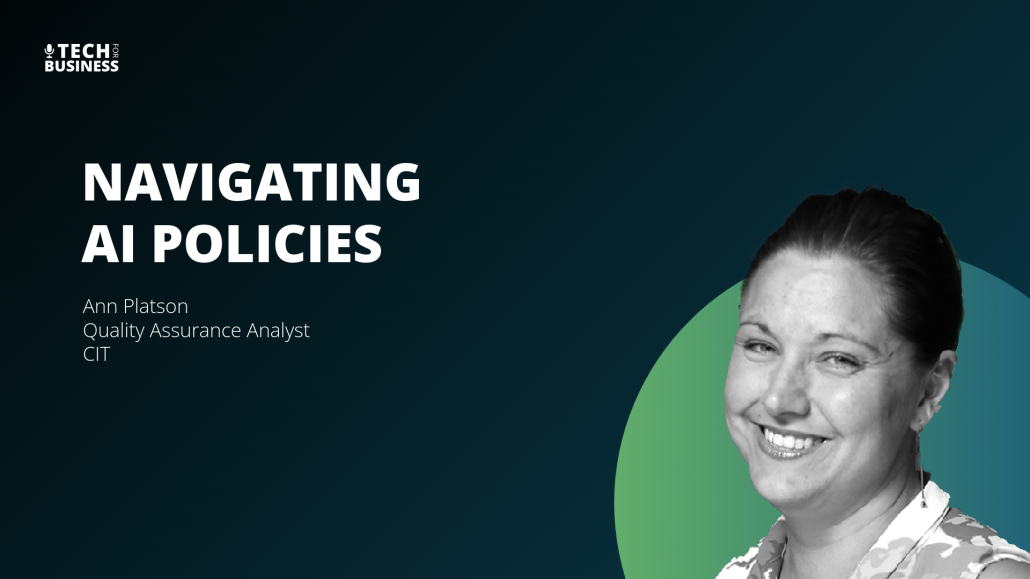
Ann, CIT’s Quality Assurance Analyst, recaps a recent webinar on what an AI policy is, why it matters, and how straightforward it can be to document, implement, and communicate to a team as “bumpers” for responsible AI use. She advises rolling out an AI policy like any other organizational change—routine, transparent communication that frames it as guidance and risk mitigation rather than a crackdown. Ann notes that even as AI tools and workflows evolve and reduce the human-in-the-loop, the core principle should remain: humans are ultimately responsible for outputs and must review results. She encourages leaders to define acceptable risk up front, communicate benefits, and revisit policies at least twice a year or after major changes, assigning ownership to stay ahead of evolving tools and compliance.
Watch the Episode
Navigating AI Policies
Artificial intelligence is changing how modern teams brainstorm, write code, and analyze data. But deploying these tools without clear guidelines opens the door to real operational, legal, and security risk.
A well-structured workplace AI policy puts guardrails around that risk. Done right, it lets your team safely use generative AI while keeping sensitive corporate data protected.
What is an AI Policy and Why Does Your Business Need One?
An AI policy is a structured framework that defines the acceptable, secure, and ethical use of artificial intelligence tools within an organization. It establishes clear operational guardrails to protect sensitive corporate data while enabling employees to safely leverage generative AI tools to improve workplace efficiency.</blockquote>
As tools like Microsoft Copilot and Adobe Firefly work their way into daily workflows, many organizations run into “shadow AI” — employees using AI tools without any sanctioned process around them. Without a formal policy in place, team members can end up uploading proprietary source code, customer PII, or protected intellectual property straight into a public AI model, often without realizing it.
During a recent CIT Solutions webinar, Anne, Quality Assurance Analyst at CIT, put it simply: an AI policy isn’t about restricting innovation. It “puts the bumpers on where you are going with using AI in your environment.” Document those boundaries, and you can get ahead of AI risk without shutting down safe, productive experimentation.
How to Create an AI Policy Without Restricting Innovation
<blockquote>To create a workplace AI policy that encourages adoption rather than restriction, focus on collaborative enablement. Frame the policy as a supportive guide and a “thought partner” rather than a disciplinary crackdown, aligning it with standard operational updates like healthcare or routine HR policy adjustments.</blockquote>
New compliance guidelines can make staff anxious — a new policy often reads as a crackdown, even when it isn’t one. The fix is simple: introduce your workplace AI policy the same way you’d introduce any other operational update. Anne recommends rolling it out through your normal communication channels, the same way you’d announce a routine healthcare change or an HR update.
When you draft the guidelines, frame AI tools as an “efficiency expert” or a “thought partner,” not a threat to be managed. Position the policy as something that empowers your team, and you open the door to honest conversation. Employees should feel comfortable telling you how they’re using AI — not hiding it out of fear of getting in trouble.
Key Elements of an Effective Workplace AI Policy
An effective AI policy must clearly define approved AI applications, outline data security protocols, establish a mandatory “human-in-the-loop” review process, and assign long-term policy ownership. This structure mitigates AI risk while ensuring compliance with evolving state and federal data privacy regulations.
A comprehensive AI policy for business should cover four core areas:
1. Approved Tool Registry
Spell out exactly which AI applications are approved for work and which aren’t. Your policy might allow enterprise-grade tools with solid data protection agreements — like Microsoft 365 Copilot — while banning consumer-grade, public-facing chatbots for anything work-related.
2. Data Security and Privacy Guardrails
Define what can and can’t go into an AI prompt. At minimum, your policy should prohibit entering:
- Client financial records or PII
- Proprietary software code
- Unreleased product designs or trade secrets
Many businesses pair these guardrails with identity access management tools like Okta and endpoint security monitoring from providers like CrowdStrike, to catch unauthorized data leaving through unapproved AI browser extensions before it becomes a problem.
3. The “Human-in-the-Loop” Mandate
Generative AI still hallucinates — producing information that sounds right but isn’t. No matter how advanced the model, your policy needs to state plainly that the human stays responsible for the final output. Employees verify facts, check code before it ships, and review generated text before any of it goes out the door.
4. Continuous Review and Ownership
AI moves fast. A policy written today can be outdated in six months. Assign ownership to a specific person or a steering committee — a QA analyst or IT lead, for example — and commit to reviewing the policy at least twice a year to keep pace with new tool capabilities and shifting compliance rules.
Implementing Your AI Policy: Communication Over Constraint
<blockquote>Successful implementation of an AI policy relies on transparent, ongoing communication rather than top-down enforcement. By introducing the policy as an educational resource and establishing an internal AI steering committee, organizations can foster safe experimentation while maintaining robust data security.</blockquote>
Once the policy is drafted, the real work is consistent education. Run interactive training sessions where your team can ask about their own specific use cases — how to safely summarize meeting notes with AI, how to draft an email template, whatever’s actually coming up in their day-to-day.
Your leadership team matters here too. When executives visibly use approved AI tools the right way, it sets the tone for everyone else. Keep the communication going, and security stays top-of-mind as your team’s use of AI matures.
Enjoyed This Episode?
Subscribe to Tech for Business and get practical IT insights for SMB leaders every week. Or reach out — we’d love to hear what topics you want us to tackle next.